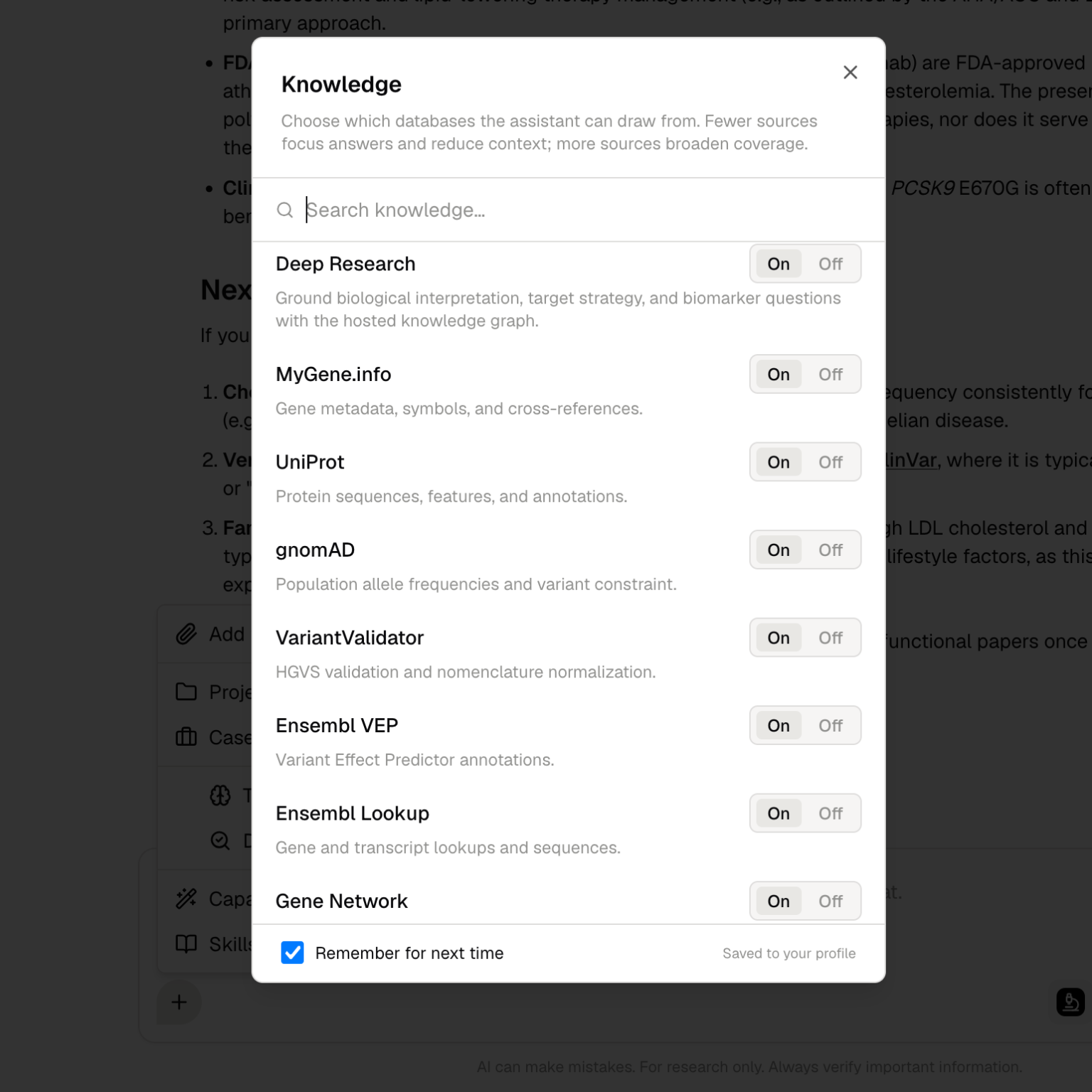
> ## Documentation Index
> Fetch the complete documentation index at: https://docs.purna.ai/llms.txt
> Use this file to discover all available pages before exploring further.
# Deep Research
> Plan, approve, execute, and inspect source-backed biological research runs.
Deep Research is a guided research workflow in Purna. Use it when a question requires source retrieval, evidence comparison, gap analysis, and a traceable synthesis rather than a short chat answer.
Deep Research is approval-gated. Purna first creates a structured research plan, shows the plan to you, and waits for your approval before it starts source acquisition or long-running analysis.
## What Deep Research does
Deep Research helps you investigate biological questions across literature, databases, uploaded documents, and connected research context.
It can help with:
* Literature review and source comparison
* Gene, variant, disease, pathway, protein, and compound research
* Mechanism exploration
* Target and hypothesis assessment
* Evidence summaries for documents or team review
* Source-backed synthesis with explicit weak and strong evidence
* Gap identification and suggested follow-up queries
* Follow-up questions that build on the same research thread
Deep Research is designed for questions where source quality matters. It is not intended for quick definitions or simple lookups.
## Start a Deep Research run
1. Open a chat in Purna.
2. Ask a research question that needs source-backed investigation.
3. Turn on **Deep Research** from **Preferences**, or ask Purna to run Deep Research.
4. Review the generated research plan.
5. Edit the plan if needed, then click **Start** to approve it.
6. Track the run in the Deep Research panel.
7. Review the final answer, evidence table, source list, and gaps.
8. Ask follow-up questions or move the synthesis into [Scribe Lab](/guides/scribe-lab).
Example prompts:
* "Run Deep Research on the evidence linking PCSK9 inhibition to familial hypercholesterolemia outcomes."
* "Compare recent evidence for MAPK pathway reactivation as a resistance mechanism in melanoma."
* "Investigate whether this target has tractability, pathway, disease, and literature support."
## The approval step
Before Deep Research starts, Purna creates a user-approvable research path. This is a research contract, not the final answer.
The approval card shows:
* **Interpreted question**: how Purna understands your request
* **Domain and question type**: the research area and type of investigation
* **Research path**: the major steps Purna plans to follow
* **Candidate review target**: how many candidate paper records should be retrieved and abstract-screened before full-text selection
* **Review criteria**: screening criteria for study types, grey literature, language, age, sex, scope concepts, and exclusions
* **Exclusions and red flags**: boundaries that should keep the run from drifting outside your intent
You can approve the plan, cancel it, or edit it before execution. If the plan is wrong, click **Edit** or send a revision such as:
```text theme={null}
Revise the Deep Research path: focus on randomized outcome studies and exclude animal-only mechanism papers.
```
Deep Research does not start source acquisition until you approve the plan. This prevents broad or expensive literature runs from starting with the wrong scope.
### Candidate review target
The candidate review target controls the breadth of the initial candidate source review. It is not the final full-text download count.
Typical targets are:
| Target | When to use it |
| -------- | ------------------------------------------------------- |
| **100** | Narrow exploratory questions or quick checks |
| **500** | Default depth for most focused research questions |
| **1000** | Broader reviews with multiple subtopics |
| **2000** | Very broad reviews when you explicitly need a wide scan |
Free plan runs may be capped at a smaller target.
## How it works after approval
After you approve the plan, Deep Research runs as a background job.
Purna searches candidate literature and source records based on the approved search concepts and review criteria.
Candidate sources are screened against the approved criteria. Sources can remain awaiting review, be excluded, require full text, or move forward for indexing.
Approved full-text sources are fetched and indexed for synthesis when available.
The run produces a structured plan with research sections and section rationales.
Purna extracts evidence rows, scores evidence when available, attaches provenance, and labels the support signal.
The run records weak links, missing evidence, contradictions, and follow-up questions that would strengthen the analysis.
The final answer appears in chat, with source-backed claims and caveats. The side panel remains available for inspection.
## Deep Research panel
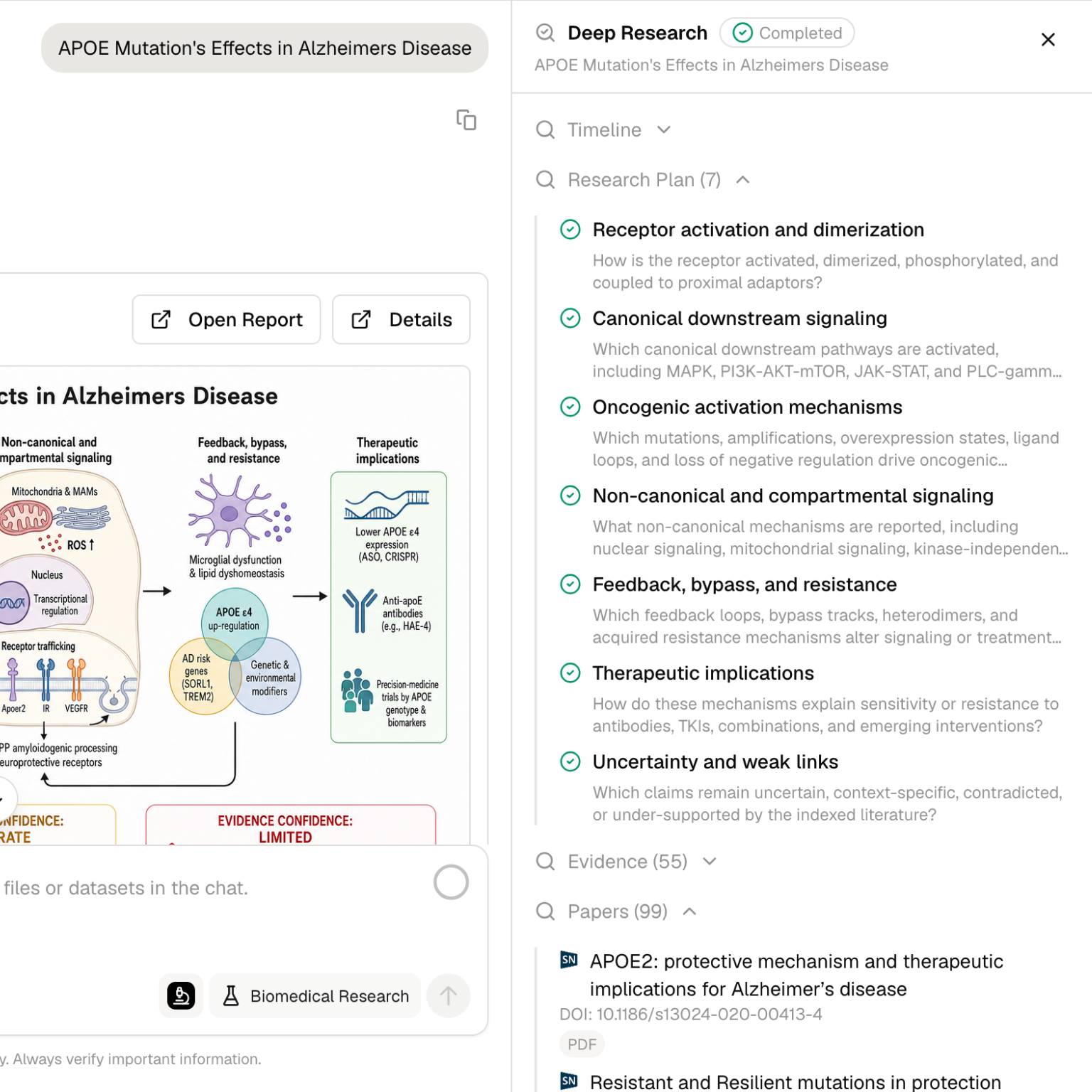
The Deep Research panel gives you a structured view of the run.
| Tab | What it shows |
| ------------ | --------------------------------------------------------------------------------------------------- |
| **Overview** | Run status and metrics for sources, evidence rows, plan sections, and gaps |
| **Timeline** | Progress events from planning, source collection, indexing, synthesis, and writing |
| **Plan** | Research sections, rationales, and completion status |
| **Evidence** | Evidence rows with support labels, claim text, source excerpts, scores, and provenance |
| **Sources** | Captured sources with filtering for indexed, awaiting review, needs full text, and excluded records |
| **Gaps** | Weak links, missing evidence, why each gap matters, and suggested follow-up queries |
## Evidence labels
The **Evidence** tab groups rows by support signal. Labels can vary by result, but common signals include:
| Label | Meaning |
| ---------------- | ------------------------------------------------------------------------- |
| **Strong** | Multiple or high-quality sources support the claim |
| **Moderate** | The claim has meaningful support but may need more context or replication |
| **Partial** | Some evidence supports the claim, but coverage is incomplete |
| **Weak** | Evidence exists but is limited, indirect, low confidence, or sparse |
| **Contradicted** | Sources conflict with the claim or support an opposing interpretation |
| **Not Found** | The run did not find evidence for the claim in the retrieved corpus |
Each evidence row can include:
* Claim or evidence axis
* Support label
* Score, when available
* Source excerpt
* Source IDs or citation links
* Provenance back to papers or records
Use evidence filters to separate strong claims from weak or contradicted claims before moving conclusions into a document.
## Gaps and weak links
The **Gaps** tab records places where the research run found an incomplete or fragile conclusion.
A gap can represent:
* Missing full-text evidence
* Sparse or indirect support
* Contradictory findings across papers
* Lack of the right study type or population
* Missing mechanistic, clinical, structural, or experimental validation
* Claims that need a narrower follow-up search
Each gap includes why it matters. Some gaps also include a suggested follow-up query you can run next.
## Sources and citations
Deep Research can use high-authority biological sources such as literature indexes, pathway databases, gene and variant resources, protein databases, compound resources, disease knowledge sources, and uploaded documents.
The **Sources** tab tracks source state during and after the run:
* **Indexed**: source content is available for synthesis
* **Awaiting Review**: source metadata is captured and waiting for screening
* **Needs full text**: source looks relevant but requires full-text acquisition
* **Excluded**: source was screened out, with a reason when available
When reviewing an answer:
* Check the cited sources attached to key claims.
* Inspect the support labels in the Evidence tab.
* Review gaps before treating a claim as settled.
* Ask follow-up questions when a source conflict is unclear.
* Move only the relevant conclusions into a document or report.
## Uploaded documents
If you attach documents in the chat, Deep Research can include those user-provided files in the runtime context. This is useful when you want Purna to consider internal notes, PDFs, spreadsheets, protocols, or source packets alongside public literature.
Use `@` to reference files explicitly when the run should consider a specific document.
## Purna Graph context
Deep Research can use connected biological context from Purna Graph. This helps relate entities such as genes, variants, diseases, proteins, pathways, compounds, and publications.
This is useful when the question is not limited to one source. For example, a target assessment may require literature evidence, pathway context, disease associations, structural information, and compound activity.
## Work with Scribe Lab
Use [Scribe Lab](/guides/scribe-lab) when a Deep Research answer needs to become a durable document.
A common workflow is:
1. Run Deep Research on the question.
2. Approve or revise the research plan.
3. Review the sources, evidence, and gaps.
4. Ask for a structured outline or brief.
5. Move the material into Scribe Lab.
6. Edit the document and preserve source-backed claims.
## Best practices
* Ask a focused research question.
* Include the organism, disease area, gene, pathway, target, dataset, or source files when relevant.
* Review the plan before clicking **Start**.
* Adjust candidate review target and screening criteria when scope matters.
* Specify whether you want a table, brief, comparison, or citation-backed narrative.
* Ask Deep Research to separate strong evidence, weak evidence, and contradictions.
* Check the **Gaps** tab before treating a conclusion as settled.
* Use follow-up questions to narrow broad findings.
Deep Research supports source-grounded investigation, but it does not replace expert scientific review. Verify important claims before making research, clinical, regulatory, or investment decisions.