
When to use Paper Writer
Use Paper Writer when you need to:- Draft a scientific article, literature review, methods paper, or research summary
- Turn research findings into a structured manuscript
- Improve the clarity, organization, or scientific tone of an existing draft
- Add and inspect source-linked citations
- Prepare a document for review, collaboration, or submission
Create a paper
- Select Write Paper in the Purna sidebar.
- Enter a title for the document.
- Choose a template or select Blank.
- Select a citation style.
- Optionally describe what you want the document to achieve.
- Select Create Document.
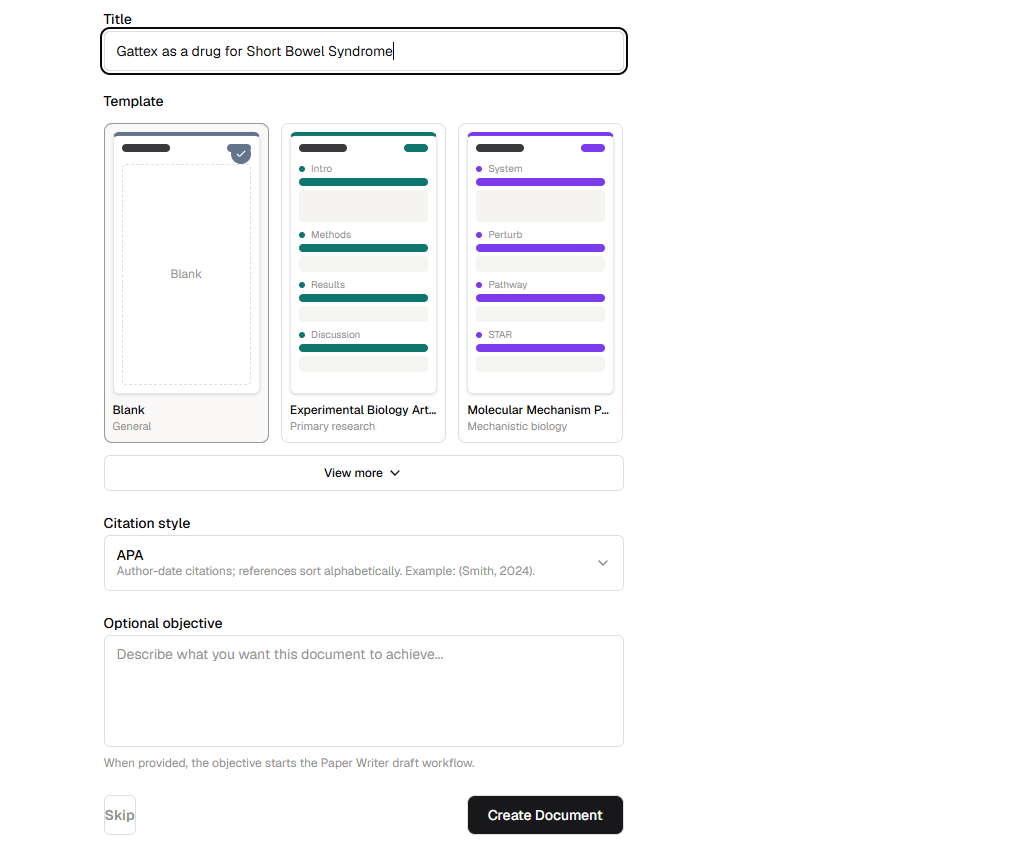
Choose a template, citation style, and optional writing objective.
Write and format the manuscript
Use the editing toolbar to organize your manuscript with headings, paragraphs, lists, links, tables, equations, images, and other document elements. Your word count updates as the document changes. Choose a citation style from the menu in the upper-right corner. Paper Writer formats in-text citations and the reference list for the selected style. Available styles include APA, IEEE, Harvard, Vancouver, Nature, AMA, MLA, Chicago, ACS, and NLM.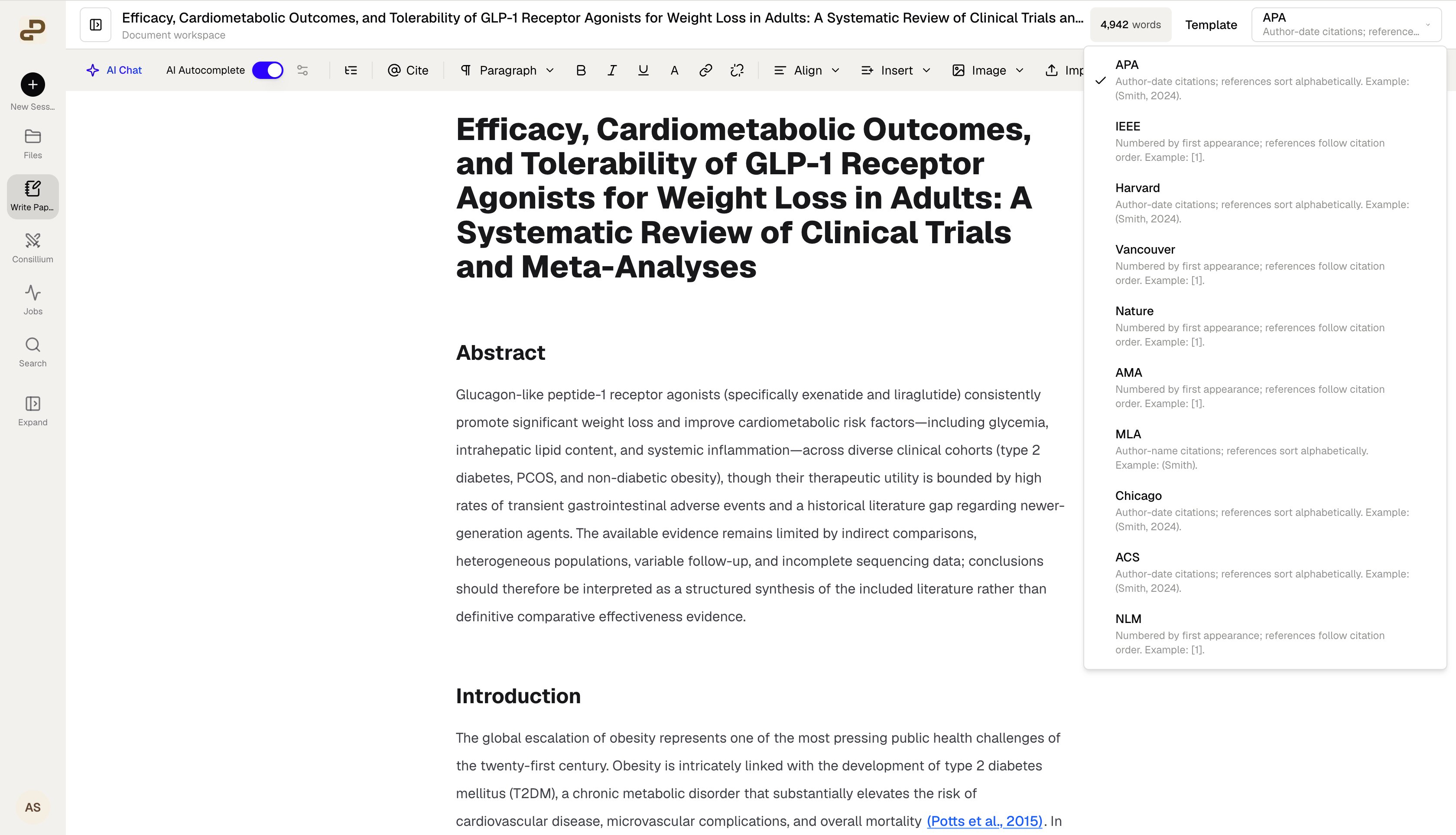
Choose a citation style for the manuscript.
Write with AI
Paper Writer includes two AI-assisted writing experiences:- AI Chat helps you research questions, revise the manuscript, add sections, insert citations, and generate supporting figures.
- AI Autocomplete suggests evidence-aware continuations while you write and lets you accept, reject, or refine each suggestion.
Work with citations
Use Cite to add a reference while writing. In-text citations remain linked to their source records, where available. Select a citation in the document to inspect details such as its title, authors, journal, publication year, DOI, or PMID. Always open and review important sources before relying on them in a manuscript. A linked citation helps preserve provenance, but it does not replace scientific judgment or source verification.Import, preview, and export
Use Import to bring an existing Word document into Paper Writer. Before exporting, select Preview to inspect the document’s page layout. Open Export to choose an output format:- Word document (.docx) for continued editing in a word processor
- Markdown (.md) for a portable plain-text document
- LaTeX project (.zip) for a manuscript source package
- PDF (Print) to open the printable version and save it as a PDF through your browser
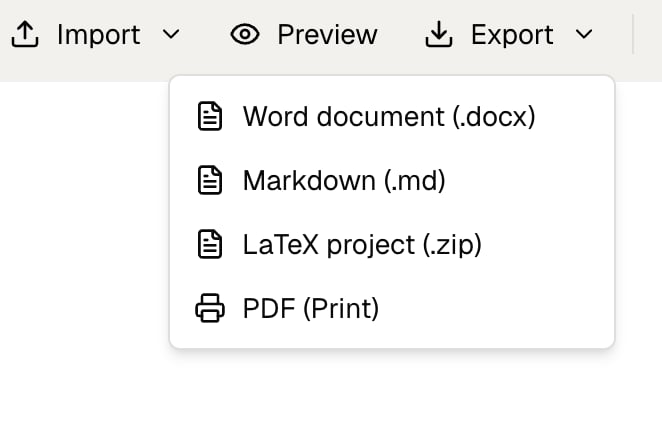
Export a paper as DOCX, Markdown, LaTeX, or PDF.
Restore an earlier version
Paper Writer saves document versions as you work. Open Version history to inspect an earlier draft, compare it with the current document, or restore it.- Open Version history from the document toolbar.
- Select a version from the list.
- Enable Highlight changes to see what changed.
- Review the selected draft before restoring it.
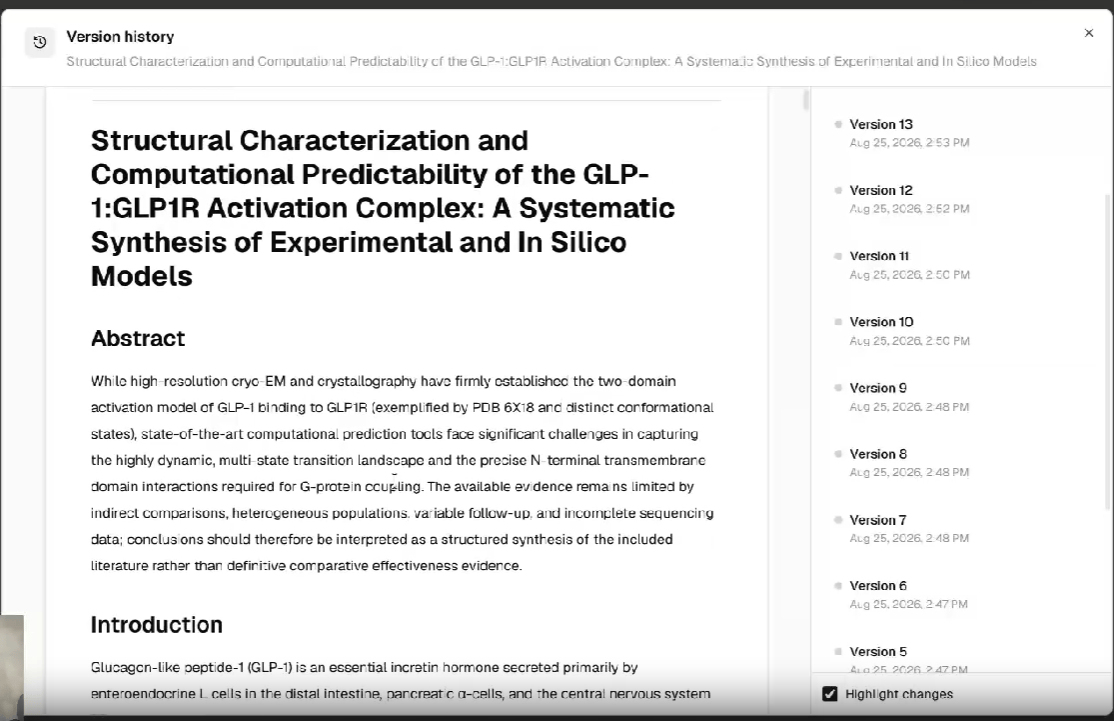
Review previous versions and highlight changes between drafts.
Continue from Deep Research
When a Deep Research run finishes, Purna can prepare its evidence synthesis as an editable manuscript in Paper Writer. Review the study-selection information, citations, evidence summaries, and limitations before revising or exporting the draft.Paper Writer helps prepare scientific manuscripts, but it does not guarantee publication readiness. Verify claims, numerical results, citations, methods, reporting requirements, and journal instructions before submission.
Watch the Paper Writer demo
See how to create, refine, cite, and export a scientific manuscript in Paper Writer.Paper Writer in Purna: complete product walkthrough