
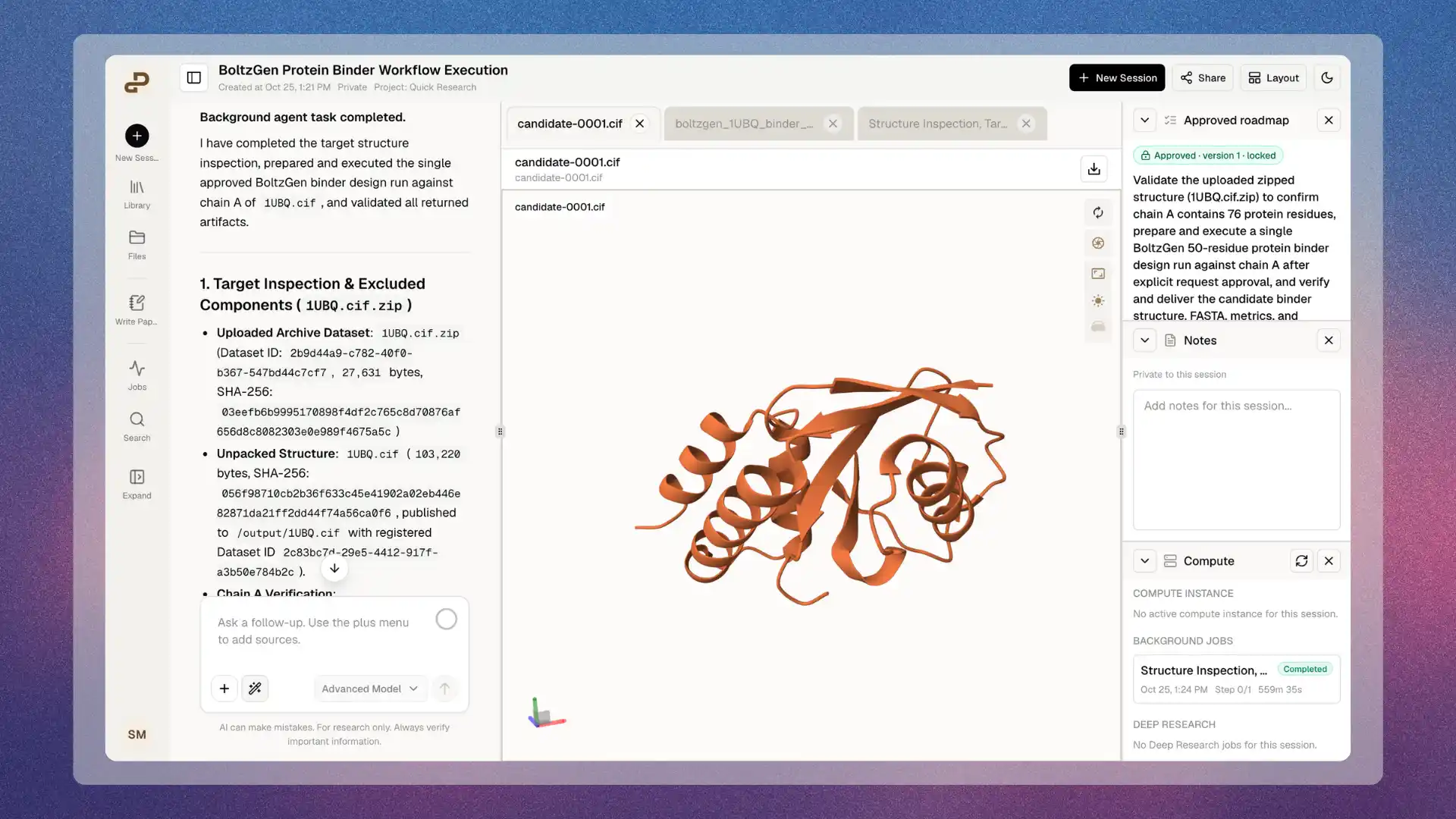
Inspect a saved molecular structure alongside your conversation and workspace panels.
What you can do
- Open supported structures uploaded to Files, attached in chat, or saved as outputs from Purna.
- Rotate, pan, and zoom to inspect the geometry already present in the file.
- Inspect proteins and ligands using the file’s coordinates and Mol*‘s default representations.
- Resize the workspace pane using its divider on desktop layouts.
- Keep multiple file tabs open and switch between them.
- Download the original structure for analysis or editing in another tool.
Open a structure
- Upload a supported coordinate file through Files or the chat attachment control.
- Select the file from Files or its chat attachment.
- Wait for the 3D viewer to load, then interact with the structure.
Supported file formats
Extensions are case-insensitive. The file must contain valid data for the selected format; renaming an unrelated file does not convert it.
The
.cif route expects macromolecular CIF/mmCIF. It does not provide general support for small-molecule crystallographic CIF dialects. GRO coordinates are converted from nanometers to angstroms by the renderer; the original file remains unchanged.
Compressed structures
Each extension above supports the following compression suffixes:
Keep the underlying format in the filename. For example, use
protein.pdb.gz, not protein.gz, so Purna can select the PDB parser.
Compressed structures are decompressed temporarily in your browser. No second file, decompressed upload, or preparation job is created. BGZF blocks are decoded individually, including the empty end-of-file member.
Your browser must support native gzip decompression. If it does not, decompress the structure locally and upload the supported uncompressed file.
Navigation controls
The structure preview does not expose a separate Mol* expand/fullscreen button. Resize the containing workspace pane to give the canvas more space.
Colors and interpretation
PDB and mmCIF previews use a confidence-style color scale. When the source stores pLDDT scores in the expected field, the colors run from orange for lower values through yellow and cyan to blue for higher values. Treat this as pLDDT only when the source identifies the stored values as pLDDT. Experimental structures may store temperature factors in the same field. The viewer does not calculate confidence or establish the meaning of that field for an arbitrary uploaded structure. Other formats use the renderer’s default representation and coloring. A rendered docking pose does not establish binding affinity, docking quality, or experimental validity.Size and performance limits
The following bounds apply to compressed previews:
These are preview bounds, separate from the platform’s upload limits. A file may upload successfully and still exceed a preview limit. The original remains available to download.
Uncompressed structures use the existing loading path and do not have these compressed-preview bounds. They still need to fit in browser memory. Large atom counts, many models, or complex representations can consume substantial memory and reduce responsiveness. A successful upload is not a guarantee that a large structure will render comfortably.
The preview loads a structure into browser memory; it does not stream progressively renderable atom subsets or offer a server-generated low-resolution structure. For a large system, prepare a smaller viewing copy, such as a selected model or region, while retaining the full original for analysis.
Temporary state and file access
- Viewing does not change the stored coordinates, atom identifiers, bonds, or source file.
- Camera changes and selections are temporary. They are not saved as annotations or automatically handed to chat or the background agent.
- Hiding the tab, workspace, or browser page releases rendering resources. Compressed reads are canceled, and returning to the viewer recreates it; camera position and selection may reset.
- Closing and reopening a tab reloads the structure. Reloading the page does not restore the viewer’s interaction state.
- Private files use the platform’s existing access checks. Opening a tab does not grant additional access to its source.
Unsupported inputs and capabilities
The current native preview does not provide:- PQR (
.pqr) support or general BinaryCIF (.bcif) upload-and-open support. - Structure discovery inside arbitrary ZIP or TAR archives.
- General sequence or alignment viewing from FASTA, FASTQ, or alignment files. A sequence does not contain 3D coordinates by itself.
- Dedicated trajectory playback, topology/trajectory pairing, or multi-record SDF browsing controls.
- Structure editing, bond correction, docking-score analysis, automatic superposition, or scientific validation.
- A general sequence panel, representation editor, or the complete standalone Mol* toolset.
- Saved viewer annotations, persistent selections, or automatic selection handoff to the agent.
Troubleshooting
Return to Scientific Components for the component overview, or see Files for upload and download instructions.